
Choose Your Platform

The Cricket Nerd Mobile application is available across multiple platforms to ensure you can access it wherever you are

iOS

Sorry! Not Available Now for iPhone and iPad devices running iOS 12.0 or later

Download for iOS

Android

Available for Android phones and tablets running Android 7.0+ or later

Download for Android

Desktop

Visit Website for Windows and macOS - join the current Event on The Cricket Nerd

Visit Site

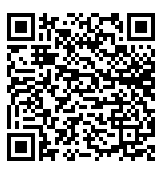
Scan to Download::Coming Soon!

Use your phone's camera to scan this QR code and download LaunchPad directly to your device.
  • Instant download
  • No typing required
  • Latest version guaranteed
QR Code

System Requirements

Make sure your device meets these requirements before downloading

Coming Soon

IOS versions are currently in development. Join our waitlist to be notified when they're available.

Join Waitlist

Available!!

This version of THE CRICKET NERD is totally different from previous version.

Download Now
  • OS: Android 8.0 (Oreo) or later
  • Processor: 1.5 GHz quad-core or better
  • Storage: 200MB free space
  • Memory: 3GB RAM recommended
  • Internet: Required for full functionality

Visit Website

Visit Website for Windows and macOS are currently in development.

Visit Here

Frequently Asked Questions

Find answers to common questions about downloading and installing The Cricket Nerd

How do I install The Cricket Nerd on my iPhone?

To install The Cricket Nerd on your iPhone, visit the App Store, search for "LaunchPad", and tap the "Get" or "Download" button. You may need to authenticate with Face ID, Touch ID, or your Apple ID password.

Is The Cricket Nerd free to download?

Yes, The Cricket Nerd is free to download. We offer in-app purchases and premium subscription options for advanced features, but the core functionality is available at no cost.

Can I use The Cricket Nerd offline?

The Cricket Nerd doest not offers limited offline functionality. You can access previously loaded content, but features like syncing, real-time updates, and cloud storage require an internet connection.

How do I update to the latest version?

On iOS, open the App Store, tap your profile icon, and scroll to see available updates. On Android, open the Google Play Store, tap your profile icon, select "Manage apps & device," and check for updates.

Is my data secure when using The Cricket Nerd?

Yes, we take data security seriously. The Cricket Nerd uses end-to-end encryption for all sensitive data, and we never share your personal information with third parties without your explicit consent.

Ready to Get Started?

Download The Cricket Nerd App now and join thousands of satisfied users